Magazine Blogger Templates

"Free Blogger Templates"

Showing posts with label Fixed width. Show all posts

Nov 10, 2009

Guzel Magazine Blogger Template

Guzel Magazine Blogger Template
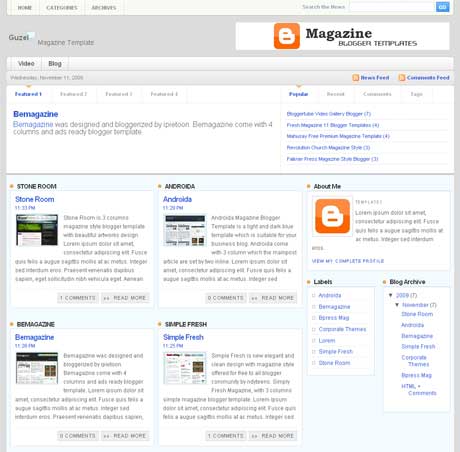
Guzel Magazine is new blogger template designed by Custom Theme Design for wordpress and Bloggerized by Free Blogger Template. this template come with 4 columns and right sidebar with simple colour, white and blue. There is a lot of place to put your widget or banner advertisement. Guzel magazine is a new free premium magazine template for blogger user.

Basic Installation

Top Navigation
goto Edit HTML and Find code below in your template.

<div id='topleft'>
<ul id='pagenavigation'>
<li class='page_item'><a href='/'>Home</a></li>
<li class='page_item'><a href='#'>Categories</a>
<ul>
<li class='page_item'><a href='#'>SUB MENU</a></li>
</ul>
</li>

<li class='page_item'><a href='#'>Archives</a>
<ul>
<li class='page_item'><a href='#'>SUB MENU</a></li>
</ul>
</li>
</ul>
</div>

Change blue code to your url and red code to your title url.

Middle Navigations
goto Edit HTML and Find code below in your template.
<div id='menux'>
<ul id='dmenu'>
<li class='cat-item'><a href='http://www.youtube.com'>Video</a>
<ul class='children'>
<li class='cat-item'><a href='http://www.youtube.com'>YouTube</a></li>

<li class='cat-item'><a href='http://www.metacafe.com'>Metacafe</a></li>
<li class='cat-item'><a href='http://www.dailymotion.com'>DailyMotion</a></li>
</ul>
</li>
<li class='cat-item'><a href='http://www.blogger.com'>Blog</a>
<ul class='children'>
<li class='cat-item'><a href='http://www.blogger.com'>Blogger</a></li>
<li class='cat-item'><a href='http://www.wordpress.com'>Wordpress</a></li>
</ul>
</li>
</ul>
</div>

Change blue code to your url and red code to your title url.

Post Feature
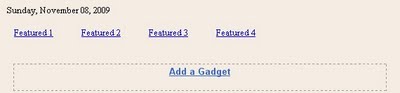
Post Feature
1. Click "Featured1/Featured2/Featured3/Featured4"
2. Add a Widget => html/javascript
3. Place your post Title in "Title Box" and yout post summary in "Content Box"
4. Save

Right Featured box
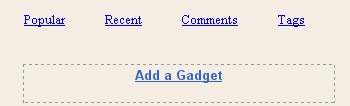
Right Featured box
same way with step 3.
==> popular post widget
Add a Widget => html/javascript => put code below on it.
<script type="text/javascript">
function pipeCallback(obj) {
document.write('<ul style="text-transform: capitalize;">');
var i;
for (i = 0; i < obj.count ; i++)
{
var href = "'" + obj.value.items[i].link + "'";
var item = "<li>" + "<a href=" + href + ">" + obj.value.items[i].title + "</a> </li>";
document.write(item);
}
document.write('</ul>');
}
</script>
<script src="http://pipes.yahoo.com/pipes/pipe.run?_render=json&_callback=pipeCallback&_id=a7d3195528df5e96181a3d2712266226&url=http%3A%2F%2FYOURBLOGNAME.blogspot.com&num=5" type="text/javascript"></script>

Change the red code to your own blog url.
==> Recent Post widget
Add a Widget => Feed => input your blog/post feed url
Example : http://yourblogmane.blogspot.com/feeds/posts/default
==> Recent Comment widget
Add a Widget => Feed => input your comments feed url
Example : http://yourblogmane.blogspot.com/feeds/comments/default
==> Post Tags widget
Add a Widget => Labels => and choose tags cloud labels.

All done happy downloading.

Preview | Download

Oct 26, 2009

Androida Magazine Blogger Template

Androida Magazine Blogger Template

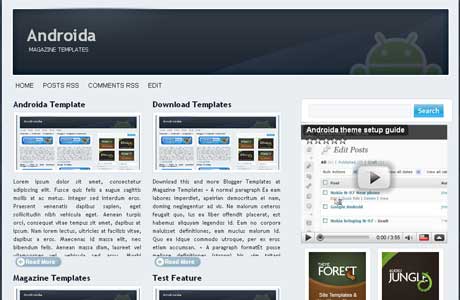
Androida Magazine Blogger Template is a light and dark blue template which is suitable for your business blog. Androida come with 3 column which the mainpost article are set by two inline, the post area is divided with two column. Androida was designed By Jinsona Design and bloggerized By Cahayabiru.com.

Basic Installation

Feed Burner ID Form
Go to Layout – Edit HTML – no need to expand widget template
Find This Word:

CahayaBirusSphere

Change it with your own Feedburner ID.

Menu Navigation
Add code below to javascript menu widget
<li><a href='#'>Title Here</a></li>

Remember to change
"#" with your own url
"Title Here" with your title

125x125 Banners
Edit sponsor widget and put code below.
<li><a href="Target link Here" rel="bookmark" title=""><img alt="" style="vertical-align:bottom;" src="Image Link Here"/></a></li>

Edit the red code.
Done and Enjoy Androida Magazine Blogger Template

Preview | Download

Oct 19, 2009

Bpress Magazine Blogger Template

Bpress Magazine Blogger Template

Bpress Mag is 3 columns magazine style blogger template desidned by akosipau and has been bloggerized by Blogger Template Place. Bpress Mag Has great feature such as, Slider Gallery, Automatic Read More, Installed Blogger Comment Avatar, and also Twitter update Feature.

Basic Installation

Slider Widget
To put or edit this widget the format code like shown below.

<ul>
<li><a href=""><img border="0" alt="Your Own Title" width="590px" src="Your Image URI" height="353px"/></a>
<div class="slidercontent">Your Own Title</div></li>

<li><a href=""><img border="0" alt="Your Own Title" width="590px" src="Your Image URI" height="353px"/></a>
<div class="slidercontent">Your Own Title</div></li>
</ul>


Twitter Update
Change YOURTWITTERID with your own ID.
<div class='twitter-content'><ul id='twitter_update_list'><li/></ul></div>
<h3 class='followme'><a href='http://twitter.com/YOURTWITTERID' style='color:#FFFFFF; '>Follow me on twitter!</a></h3>
<script src='http://twitter.com/javascripts/blogger.js' type='text/javascript'/>
<script src='http://twitter.com/statuses/user_timeline/YOURTWITTERID.json?callback=twitterCallback2&amp;count=1' type='text/javascript'/>
</div>


FeedBurner Widget
Search Code below and change the RED code to your own feedburner id
<form action='http://feedburner.google.com/fb/a/mailverify' method='post' onsubmit='window.open(&apos;http://feedburner.google.com/fb/a/mailverify?uri=YOURFEEDID&apos;, &apos;popupwindow&apos;, &apos;scrollbars=yes,width=550,height=520&apos;);return true' style='padding:0; margin:0; ' target='popupwindow'>

...............
..............
..............

<input name='uri' type='hidden' value='YOURFEEDID'/><input name='loc' type='hidden' value='en_US'/>

Enjoy New Templates.
Preview | Download

Sep 11, 2009

Jynxed Unique Design Blogger Template

Jynxed is a unique template originally designed for wordpress theme by forthelose and has been converted to blogger by wpbloggerthemes. Jynxed has Unique web 2.0 feel. Jynxed template come with 2 columns and right sidebar. just Take a look to the demo to see the it live.

Jynxed Unique design Blogger Template

Preview | Download

Go here for your Basic Installation of blogger template.

Aug 15, 2009

Magzmo Black Magazine Template

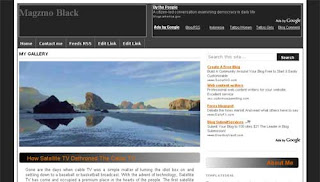
Magzmo Black Magazine Template is new template designed and bloggerized by Subagya. Magzmo black come with 2 columns with magazine style. The top gallery slide show just below header. Also this template is fully widgetized and built in many possible position for your ads spot. The color is simple white, black and gray.

Features :

1. Magazine style
2. S3slider images show
3. 2 column header section
4. 3 column footer section
5. Search bar
6. Intergrated auto read more scripts
7. Navbar
8. Split column in sidebar
9. Adsense ready

Magzmo Black Magazine Template
Preview | Download

Jul 18, 2009

Mahusay Free Premium Magazine Template

Mahusay Free Premium Magazine Template

Mahusay is originally free premium Wordpress Theme create by Paddsolutions and has been converted to blogger by Free Blogger Template. This theme come with 2 column Magazine style, elegant design, slide feature, and 2 element under post. Slideshow Post Feature are automatic update from your latest post.

Preview | Download

1. Basic Installation

Instalations Guide :

Go to "Edit HTML"
Find The Code below and replace the red/blue code with your own

Javascript Hosting
Find this code and replace with your own host.

<script src='http://WWW.YOUROWNHOSTING.COM/mootools.v1.11.js' type='text/javascript'/>
<script src='http://WWW.YOUROWNHOSTING.COM/jd.gallery.js' type='text/javascript'/>


Twitter Url
Find This Code and replace the red text with your Twitter Url
<a href='http://twitter.com/YOURNAME' id='twitter' title='Twitter'>Twitter</a>


Menu Navigation
Change it with your own.
<ul>
<li class='current_page_item'><a href='/'><span><span>Home</span></span></a></li>
<li class='page_item page-item-39'><a href='#' title='About'><span><span>About</span></span></a></li>
<li class='page_item page-item-28'><a href='#' title='Child Page'><span><span>Child Page</span></span></a></li>
</ul>


Slide Feature with automatic post update
change the red url with your Blog Url and blue Url with your Image Url(background image = 606x225 pixel).
<div class='imageElement'>
<h2>&lt;script&gt;var startposts = 0; numposts = 1; var showposttitle = true; showpostdate = false; var showpostsummary = false; var numchars = 0; &lt;/script&gt;&lt;script src=&quot;http://mahusay-fbt.blogspot.com/feeds/posts/default?orderby=published&amp;alt=json-in-script&amp;callback=rp&quot;&gt;
&lt;/script&gt;</h2>
<p>&lt;script&gt;var startposts = 0; numposts = 1; var showposttitle = false; showpostdate = false; var showpostsummary = true; var numchars = 150; &lt;/script&gt;&lt;script src=&quot;http://mahusay-fbt.blogspot.com/feeds/posts/default?orderby=published&amp;alt=json-in-script&amp;callback=rp&quot;&gt;
&lt;/script&gt;</p>
<a class='open' href='#' title='Read More'/>
<img class='full' src='http://i606.photobucket.com/albums/tt142/freebloggertemplate/mahusay/image1.jpg'/>
<img class='thumbnail' src='http://i606.photobucket.com/albums/tt142/freebloggertemplate/mahusay/image1.jpg'/>
</div>
<div class='imageElement'>
<h2>&lt;script&gt;var startposts = 1; numposts = 2; var showposttitle = true; showpostdate = false; var showpostsummary = false; var numchars = 0; &lt;/script&gt;&lt;script src=&quot;http://mahusay-fbt.blogspot.com/feeds/posts/default?orderby=published&amp;alt=json-in-script&amp;callback=rp&quot;&gt;
&lt;/script&gt;</h2>
<p>&lt;script&gt;var startposts = 1; numposts = 2; var showposttitle = false; showpostdate = false; var showpostsummary = true; var numchars = 150; &lt;/script&gt;&lt;script src=&quot;http://mahusay-fbt.blogspot.com/feeds/posts/default?orderby=published&amp;alt=json-in-script&amp;callback=rp&quot;&gt;
&lt;/script&gt;</p>

<a class='open' href='#' title='Read More'/>
<img class='full' src='http://i606.photobucket.com/albums/tt142/freebloggertemplate/mahusay/image2.jpg'/>
<img class='thumbnail' src='http://i606.photobucket.com/albums/tt142/freebloggertemplate/mahusay/image2.jpg'/>
</div>
<div class='imageElement'>
<h2>&lt;script&gt;var startposts = 2; numposts = 3; var showposttitle = true; showpostdate = false; var showpostsummary = false; var numchars = 0; &lt;/script&gt;&lt;script src=&quot;http://mahusay-fbt.blogspot.com/feeds/posts/default?orderby=published&amp;alt=json-in-script&amp;callback=rp&quot;&gt;
&lt;/script&gt;</h2>
<p>&lt;script&gt;var startposts = 2; numposts = 3; var showposttitle = false; showpostdate = false; var showpostsummary = true; var numchars = 150; &lt;/script&gt;&lt;script src=&quot;http://mahusay-fbt.blogspot.com/feeds/posts/default?orderby=published&amp;alt=json-in-script&amp;callback=rp&quot;&gt;
&lt;/script&gt;</p>
<a class='open' href='#' title='Read More'/>

<img class='full' src='http://i606.photobucket.com/albums/tt142/freebloggertemplate/mahusay/image3.jpg'/>
<img class='thumbnail' src='http://i606.photobucket.com/albums/tt142/freebloggertemplate/mahusay/image3.jpg'/>
</div>
<div class='imageElement'>
<h2>&lt;script&gt;var startposts = 3; numposts = 4; var showposttitle = true; showpostdate = false; var showpostsummary = false; var numchars = 0; &lt;/script&gt;&lt;script src=&quot;http://mahusay-fbt.blogspot.com/feeds/posts/default?orderby=published&amp;alt=json-in-script&amp;callback=rp&quot;&gt;
&lt;/script&gt;</h2>
<p>&lt;script&gt;var startposts = 3; numposts = 4; var showposttitle = false; showpostdate = false; var showpostsummary = true; var numchars = 150; &lt;/script&gt;&lt;script src=&quot;http://mahusay-fbt.blogspot.com/feeds/posts/default?orderby=published&amp;alt=json-in-script&amp;callback=rp&quot;&gt;
&lt;/script&gt;</p>
<a class='open' href='#' title='Read More'/>
<img class='full' src='http://i606.photobucket.com/albums/tt142/freebloggertemplate/mahusay/image1.jpg'/>
<img class='thumbnail' src='http://i606.photobucket.com/albums/tt142/freebloggertemplate/mahusay/image1.jpg'/>
</div>
<div class='imageElement'>
<h2>&lt;script&gt;var startposts = 4; numposts = 5; var showposttitle = true; showpostdate = false; var showpostsummary = false; var numchars = 0; &lt;/script&gt;&lt;script src=&quot;http://mahusay-fbt.blogspot.com/feeds/posts/default?orderby=published&amp;alt=json-in-script&amp;callback=rp&quot;&gt;
&lt;/script&gt;</h2>
<p>&lt;script&gt;var startposts = 4; numposts = 5; var showposttitle = false; showpostdate = false; var showpostsummary = true; var numchars = 150; &lt;/script&gt;&lt;script src=&quot;http://mahusay-fbt.blogspot.com/feeds/posts/default?orderby=published&amp;alt=json-in-script&amp;callback=rp&quot;&gt;
&lt;/script&gt;</p>

<a class='open' href='#' title='Read More'/>
<img class='full' src='http://i606.photobucket.com/albums/tt142/freebloggertemplate/mahusay/image2.jpg'/>
<img class='thumbnail' src='http://i606.photobucket.com/albums/tt142/freebloggertemplate/mahusay/image2.jpg'/>
</div>


Feedburner Subscriber
<input name='url' type='hidden' value='http://feeds.feedburner.com/~e?ffid=YOURFEEDBURNERID'/>


Enjoy and thanks to Free Blogger Template for converting this great template.

Jul 2, 2009

Gamma Ray Blogger Template


Gamma Ray is 2 Columns with magazine style blogger template and right sidebar. Gamma Ray Blogger Template is a modern visual, interactive and sober, page elements to flashy, innovative and personalized blogger template. The template was originally designed by Insight your Blogger. The feature of this template: Menu and Auto Search, Automatic "Read More" with thumbnail, Custom date, Visual uncommon in the post title and sidebar and title of the blog, Slideshow, social networks already installed and many more.

Installation : Later +_+

Demo | Download

Jun 27, 2009

Clinic Blogger Template

Clinic Blogger Template

Clinic Blogger Template is new magazine style Blogger Template with 4 columns. Clinic Template has been bloggerized by Templates Novo Blogger.
The features of this template is :

Header: header in two parts
Column: Post more sidebar divided into 4 parts
Menu 1: Menu vertical that presents only the home page
Menu 2: Horizontal Menu that appears only on internal pages
Slide: slide of pictures with captions
Column called 'Profile' for presentation of author / professional
Adsense column below the header
Posts: automatic summaries on the home page with thumbnails
Related articles on internal pages.

Preview | Download | Installation

Jun 26, 2009

Milano Blogger Template

Milano Blogger Template

Milano Blogger Template is originally a wordpress theme designed by Web2Feel and has been converted to blogger by Falcon Hive. Feature Included: Unique and professional layout design, Welcome Message section, Featured Content section, Top navigation menu, Second navigation menu, JavaScript-based tabber, 300×250 Ads gadget, 125×125 Ads gadget, 2 sidebar section, Fully widgetized

Preview | Download

Jun 24, 2009

Dreamy Blogger Templates

Dreamy Blogger Templates

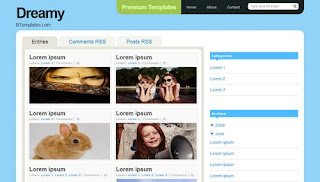
Dreamy Blogger Templates is a simple gallery style blogger template, organized, eye-candy, blue, and minimalistic. The good feature is automatic summary of your posts, and automatic thumbnail of post images as well. Dreamy Blogger Templates has been bloggerized by Dante.

Features:

* Gallery Style
* Cool Navigation Bar
* Organized
* Blue
* Custom comments, Blockquotes and Lists
* Automatic Thumbnail
* Automatic Post Summary

Preview | Download

Jun 16, 2009

Magz 3 Pro Blogger Template

Magz 3 Pro is magazine style blogger template with multi columns white and green color. Originally designed by Blog Template 4 U and modified by Blogger Ceria.
Feature : multi Columns, white, green, Fixed width, blue, Right sidebar, clean, Slider on top.


Preview | Download

Jun 15, 2009

Fresh Magazine 1.2 Blogger Template

Fresh Magazine 1.2 blogger template is modified version of Fresh Magazine 1.1 Blogger template. It's now has 4 columns with blue and white colour. The slider on top has been removed. Check the demo to see it alive. The template has been bloggerized by ndyteens.


Preview | Download

Jun 14, 2009

Proximus Blogger Template

Proximus Blogger Template

Proximus Blogger Template is new magazine style blogger template designed and bloggerized by BloggerThemes. It's 2 columns with right sidebar. The ads spot in the top header and on the right side. The color is brown, black and white. Also bookmarks and search button supported.

Demo | Download

Jun 6, 2009

Fresh Magazine 1.1 Blogger Templates

New magazine style blogger template, released by NdyTeeN. It's another mind blowing magazine style blogger templates with simple colour. Just white and red. Featured slide show on top. This is 2 columns blogger template with right sidebar. Ads placement also included. Check the demo for live show.


Installation For Fresh Magazine 1.1 Blogger Templates
1. Basic Installation

2. Setting Header Images.


The PSD images doesn't included in the download file. You must make your header image with photoshop or other similiar image editor program. The image size must be 468 width x 107 height. Now upload it to your header from your blogger dashboard.
get it?

3. Setting up the Advertisement Banner


Go to Your Dashborad >> Layout >> Edit HTML >> Expand Widget Templates.
Now find this code :
<div class='headerright'>

<a href='#'><img src='https://blogger.googleusercontent.com/img/b/R29vZ2xl/AVvXsEjZAiVFWye0uWmdyRnxe6-dN_Gqz-rLteJqKFPxw1wU3PsDFZ9cqe4BJDLsLPc09xVahjuY7MdEr-OhVGA9rCPaD8picK0nFUv3nXvcXwkMY3Zx8ax9DMgRoLZbDKLVW_0soUNn92PAHm8/s320/topbanner.gif' style='width: 468px; height: 60px;'/></a>

</div>


Now Change the red text to your own banner or maybe google adsense code.

3. Setting Up the Top Tab Menu Navigation

Find code below in your template.
<div id='NavbarMenuleft'>
<ul id='nav'>
<li><a expr:href='data:blog.homepageUrl'>Home</a></li>
<li>
<a href='#'>Sample Page</a>
<ul>
<li>
<a href='#'>Sub Page #1</a>
<ul>
<li><a href='#'>Sub Sub Page #1</a></li>
<li><a href='#'>Sub Sub Page #2</a></li>
<li><a href='#'>Sub Sub Page #3</a></li>
</ul>
</li>
<li><a href='#'>Sub Page #2</a></li>
<li><a href='#'>Sub Page #3</a></li>
<li><a href='#'>Sub Page #4</a></li>
<li><a href='#'>Sub Page #5</a></li>
</ul>
</li>
<li><a href='#'>Sample Post</a></li>
<li><a href='#'>Blog Page</a></li>
</ul>
</div>


Now Change it with your own.

4. Setting Navigation menu just below top tabs

Go to Your Dashborad >> Layout >> Edit HTML >> Expand Widget Templates.
Find Code below.
<div id='subnavbar'>
<ul id='subnav'>
<li>
<a href='#'>Community Events</a>
<ul>
<li>
<a href='#'>Sub Category #1</a>
<ul>
<li>
<a href='#'>Sub Sub Category #1</a>
</li>
<li>
<a href='#'>Sub Sub Category #2</a>
</li>
<li>
<a href='#'>Sub Sub Category #3</a>
</li>
</ul>
</li>
<li>
<a href='#'>Sub Category #2</a>
</li>
<li>
<a href='#'>Sub Category #3</a>
</li>
</ul>
</li>
<li>
<a href='#'>Conferences</a>
</li>
<li>
<a href='#'>Get Connected</a>
</li>
</ul>
</div>


That's the code now change it with your own.

5. Setting The slide show.

Go to Your Dashborad >> Layout >> Edit HTML >> Expand Widget Templates.
Find Code below.
<div class='slide'>
<h2><a href='POST-LINK-HERE' title='Superbowl'>Superbowl</a></h2>
<span class='slmet'> Posted by NdyTeeN On Mei - 25 - 2009 </span>
<p>Lorem ipsum dolor sit amet, consectetuer adipiscing elit. Quisque sed felis. Aliquam sit amet felis. Mauris semper, velit semper laoreet dictum, quam diam dictum urna, nec placerat elit nisl in quam. Etiam augue pede, molestie eget, rhoncus at, convallis ut, eros. Aliquam pharetra. Nulla in tellus eget odio sagittis blandit. Maecenas at nisl. Nullam lorem mi, eleifend a, fringilla vel, semper at, ligula. Mauris eu wisi. Ut ante dui, aliquet nec, congue non, accumsan sit amet, lectus. Mauris et mauris. ...</p>
<img alt='' src='http://web2feel.com/monezine/wp-content/uploads/2008/12/stad.jpg'/>
</div>


Now You just see 5 code like that. Change it with your own. The format is below.
<div class='slide'>
<h2><a href='POST-LINK-HERE' title='Your Title'>Title</a></h2>
<span class='slmet'> Posted by </span>
<p>Your Summary Text. ...</p>
<img alt='' src='Your Image Url'/>
</div>


It's all done. Still have another problem? Then contact the author or you can ask me below and i'll try to solve your problem. Happy Blogging.

Apr 23, 2009

Revolution Church Magazine Style Blogger Template

Revolution Church Magazine Style Blogger Template

Revolution Church Magazine Style Blogger Template is a magazine style wordpress theme designed by Brian Gardner and converted to blogger by bloganol. Revolution Church is 3 column and optimized for advertising.
Features :

1. 3 column with right Sidebar.
2. Optimized for advertising. 4+ perfect areas for advertising.
3. built-In site-search Engine.
4. date widget at Top left that shows the current date.
5. 2 CSS Menus.
6. Magazine style template and Professional look.


Installation For Revolution Church Magazine Style Blogger Template
1. Basic Installation
2. Header Navigation Link
find the following code and edit with your own link.
<div id='NavbarMenuleft'>
<ul id='nav'>
<li><a expr:href='data:blog.homepageUrl'>Home</a></li>
<li>
<a href='#'>Sample Page</a>
<ul>
<li>
<a href='#'>Sub Page #1</a>
<ul>
<li><a href='#'>Sub Sub Page #1</a></li>
<li><a href='#'>Sub Sub Page #2</a></li>
<li><a href='#'>Sub Sub Page #3</a></li>
</ul>
</li>
<li><a href='#'>Sub Page #2</a></li>
<li><a href='#'>Sub Page #3</a></li>
<li><a href='#'>Sub Page #4</a></li>
<li><a href='#'>Sub Page #5</a></li>
</ul>
</li>
<li><a href='#'>Sample Post</a></li>
<li><a href='#'>Blog Page</a></li>
</ul>
</div>

3. Sub Menu Header Configuration
find the following code and edit with your own link. Or you can use your adsense link unit here.
<div id='subnavbar'>
<ul id='subnav'>
<li>
<a href='#'>Community Events</a>
<ul>
<li>
<a href='#'>Sub Category #1</a>
<ul>
<li>
<a href='#'>Sub Sub Category #1</a>
</li>
<li>
<a href='#'>Sub Sub Category #2</a>
</li>
<li>
<a href='#'>Sub Sub Category #3</a>
</li>
</ul>
</li>
<li>
<a href='#'>Sub Category #2</a>
</li>
<li>
<a href='#'>Sub Category #3</a>
</li>
</ul>
</li>
<li>
<a href='#'>Conferences</a>
</li>
<li>
<a href='#'>Get Connected</a>
</li>
</ul>
</div>

4. Adsense 468x60 Header Banner
Find this code and change it with your own banner or google adsense code.
<div class='headerright'>
Your Adsense Code Here
</div>

5. Adsertising banner below every post
Find code below and change it your own advertising link or you can delete it.
<div class='gapad'>
Your Adsense Code Here/Or you can Delete it.
</div>

6. It's done. Smile +_+. Remember google adsense just allow you to put 3 Adsense units and 3 link units on each page. Cheers.

Apr 14, 2009

Magasin Cuatro New Magazine Style Blogger Template

White, Blue, And Black Magazine template for blogger has been released by falconhive. It's really professional blogger template. Original design by Padd IT Solutions. a 3 column blogger template with right sidebar, featured content on the top menu., navigation link. Now we all know that's blogger can setup the very high quality template.

Feature :
* 728x15 Adsense ads Link Unit On Top
* Top Navigation Link
* Adsense Banner 468x60 On Top
* Feature Content Supported On Top
* 125x125 advertising banner on the sidebar.
* 3 Column With Right Sidebar
* Twitter Updates section


1. Basic Installation

Enjoy The New Style.
Technorati Profile

Apr 12, 2009

Sederhana Magazine Style Blogger Template

New Magazine style blogger template called Sederhana. This template is very simple looking and the load speed is faster than another template. Clean design with white background. It's originally a wordpress theme created by Thomas Arie and has been bloggerized by template-godown. It's 3 columns with right and left sidebar and minimalist colour.


Basic Installation

Enjoy the template.

Apr 9, 2009

Tekikon Magazine Style Blogger Template

New Magazine Style Blogger Template adapted from wordpress theme. It's called Tekikon Blogger Template. Has 4 columns which will give you more space, with white and blue colour. and right sidebar. And of course it have navigation link too. Right sidebar is good for your advertising program too. Tekikon Magazine Style Blogger Template Designed by blogohblog and converted to blogger by template-godown.


1. Basic Installation

2. Navigation Link
To change the navigation link just search this code on your template and change it with your own.
<li class='page_item'>
<a expr:href='data:blog.homepageUrl'>Home</a></li>
<li class='page_item'><a expr:href='data:blog.homepageUrl + &quot;feeds/posts/default&quot;'>Posts RSS</a></li>
<li class='page_item'><a expr:href='data:blog.homepageUrl + &quot;feeds/comments/default&quot;'>Comments RSS</a></li>
<li class='page_item'><a href='#'>Edit</a></li>


Done. Enjoy the new style.